
Lightweight next-generation firewall
From a Raspberry Pi to an x64 appliance | web-managed, commit-based, observable.
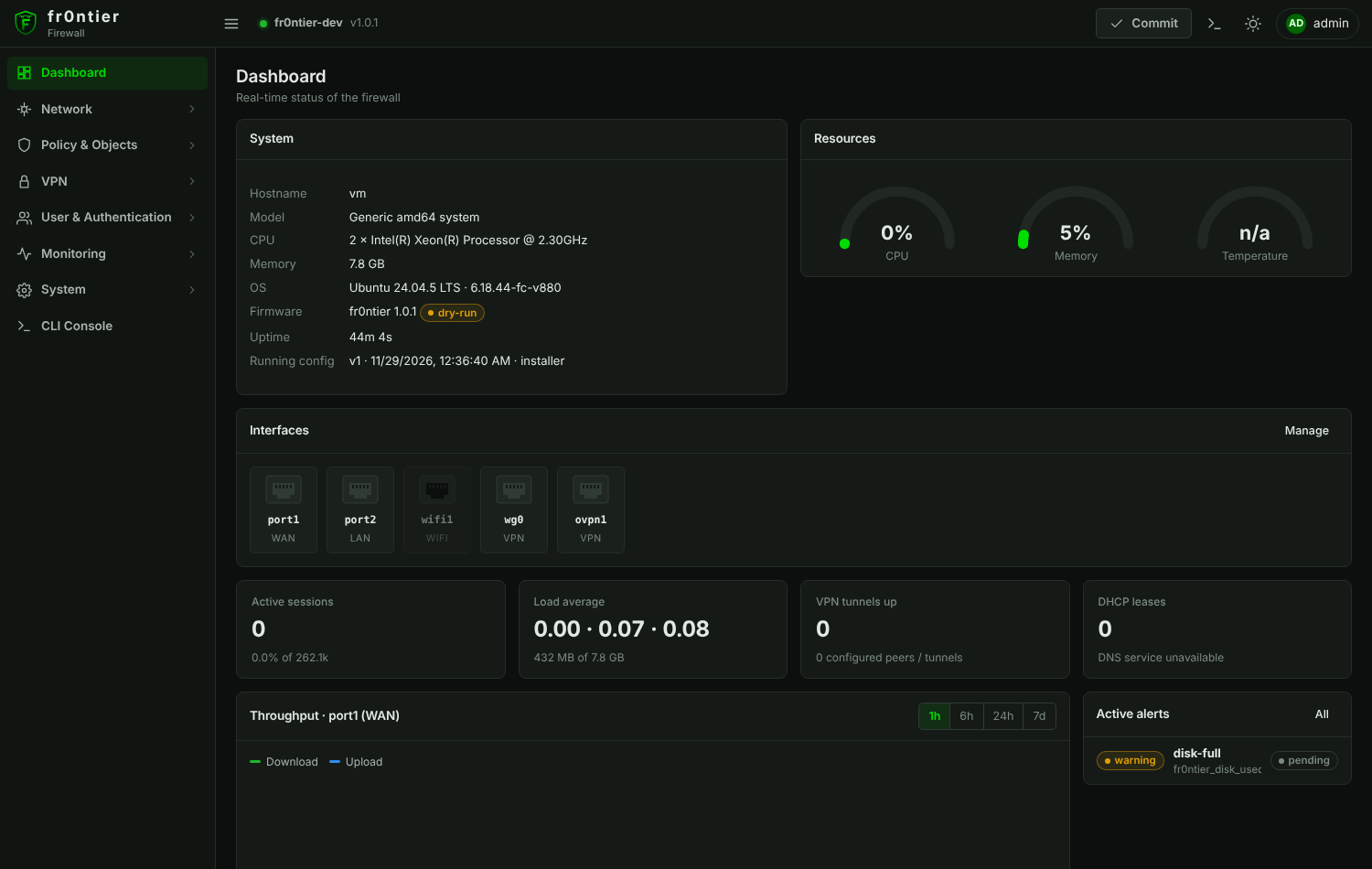
Overview
fr0ntier turns a clean Debian 13 installation — a Raspberry Pi, an ARM board, a mini-PC, a server or a virtual machine — into a professional firewall. You get web interface, a commit model, a web CLI, remote-access VPN with users and two-factor authentication, a reverse proxy with automatic HTTPS and a complete local monitoring stack. It is all in a single static binary that drives the components Linux already does best.
Safe by design
Nothing touches the system until you commit. Every change is validated with the native tools first, and if you lose access it rolls itself back.
Light where it matters
Standard-library Go with no cgo and no runtime to install. Runs comfortably on a Raspberry Pi and flies on x86.
Linux native
nftables, systemd-networkd, dnsmasq, nginx, WireGuard, OpenVPN and strongSwan do the work. fr0ntier renders their configuration from one model.
Yours, locally
No cloud controller, no telemetry, no licence server. Metrics and logs stay on the box and go wherever you choose to export them.
Features
Commit model
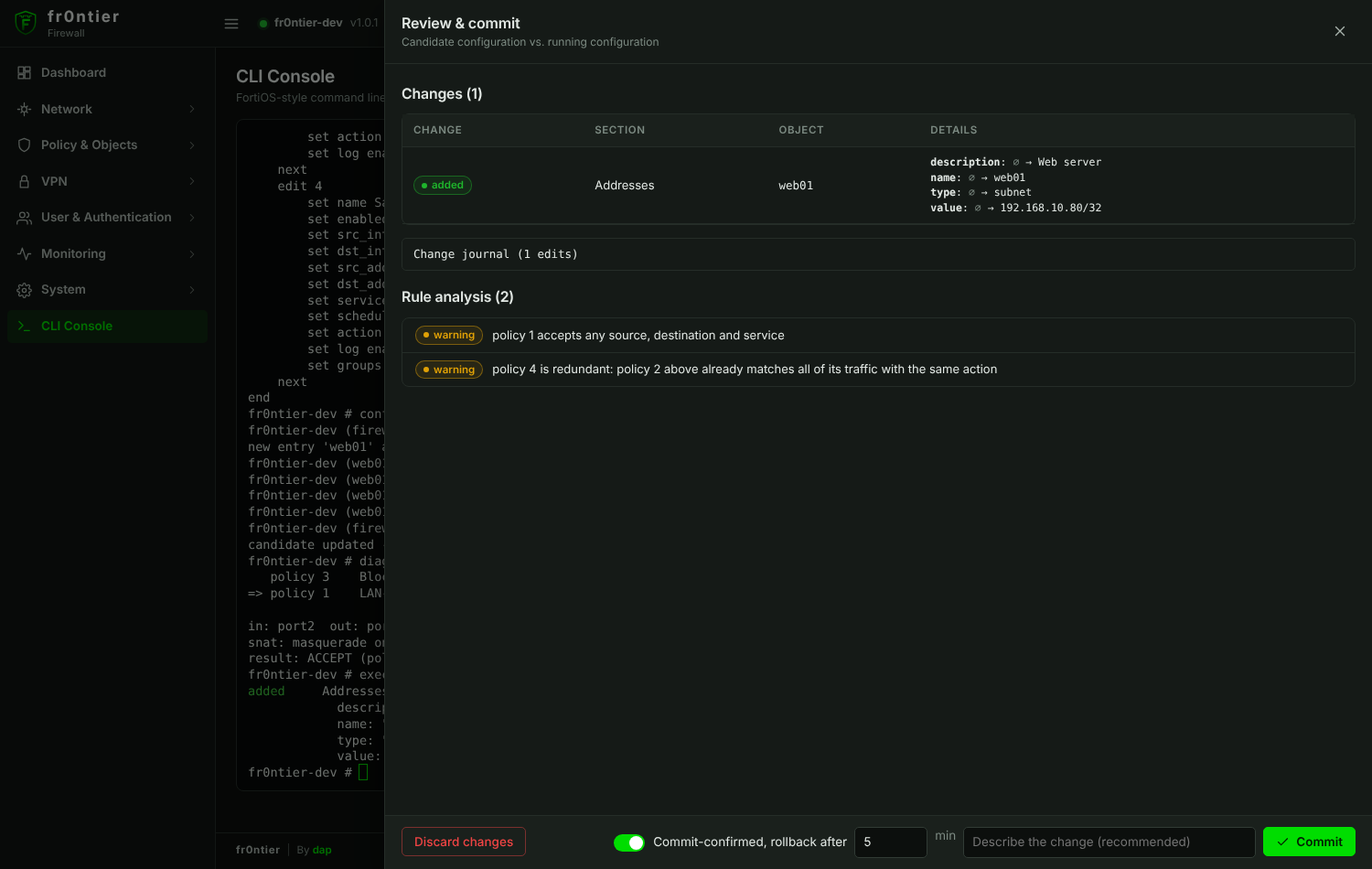
Edit a candidate, review a structured diff and the exact system files that change, then commit. Commit-confirmed with automatic rollback, the last 10 versions one click away and an optional exclusive lock.
Firewall & policies
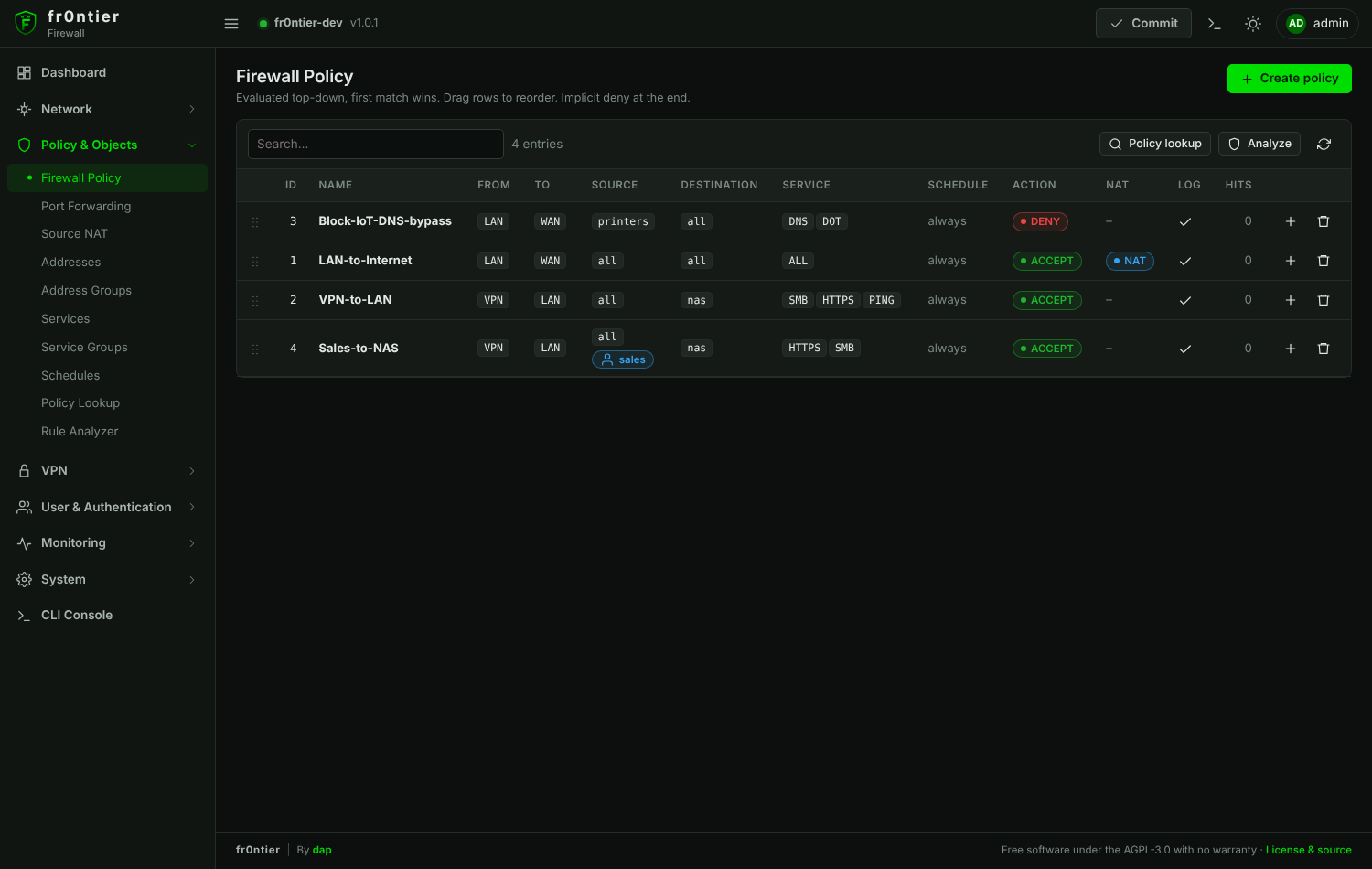
nftables with zones and ordered policies, address and service objects, FQDN objects, schedules, per-policy NAT, port forwarding, flow offload, SYN-flood protection and trusted hosts.
Policy tools
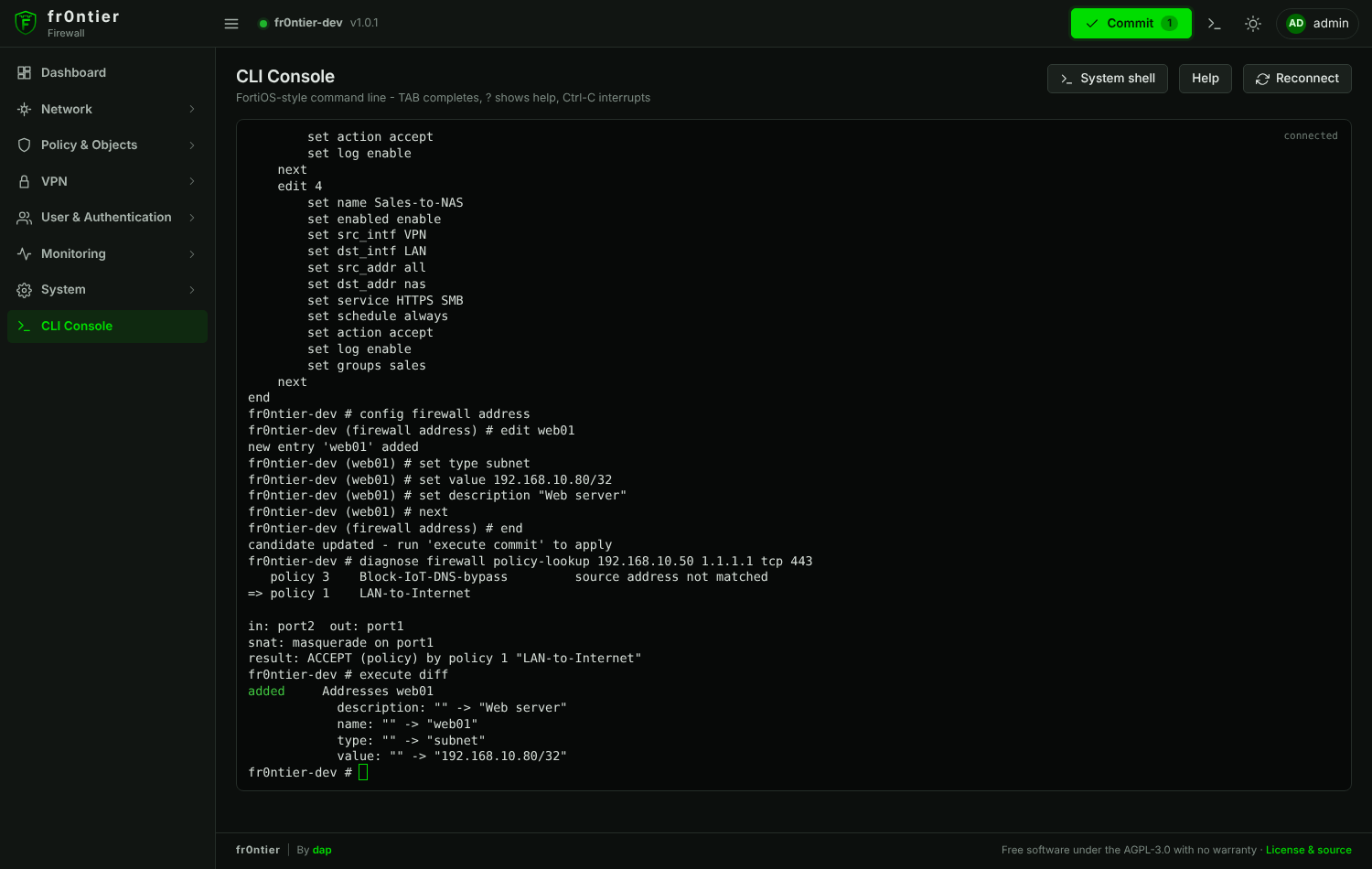
Policy lookup simulates a connection and shows the evaluation trace. The rule analyzer flags shadowed, redundant and overly permissive rules and unused objects before every commit.
Users & 2FA
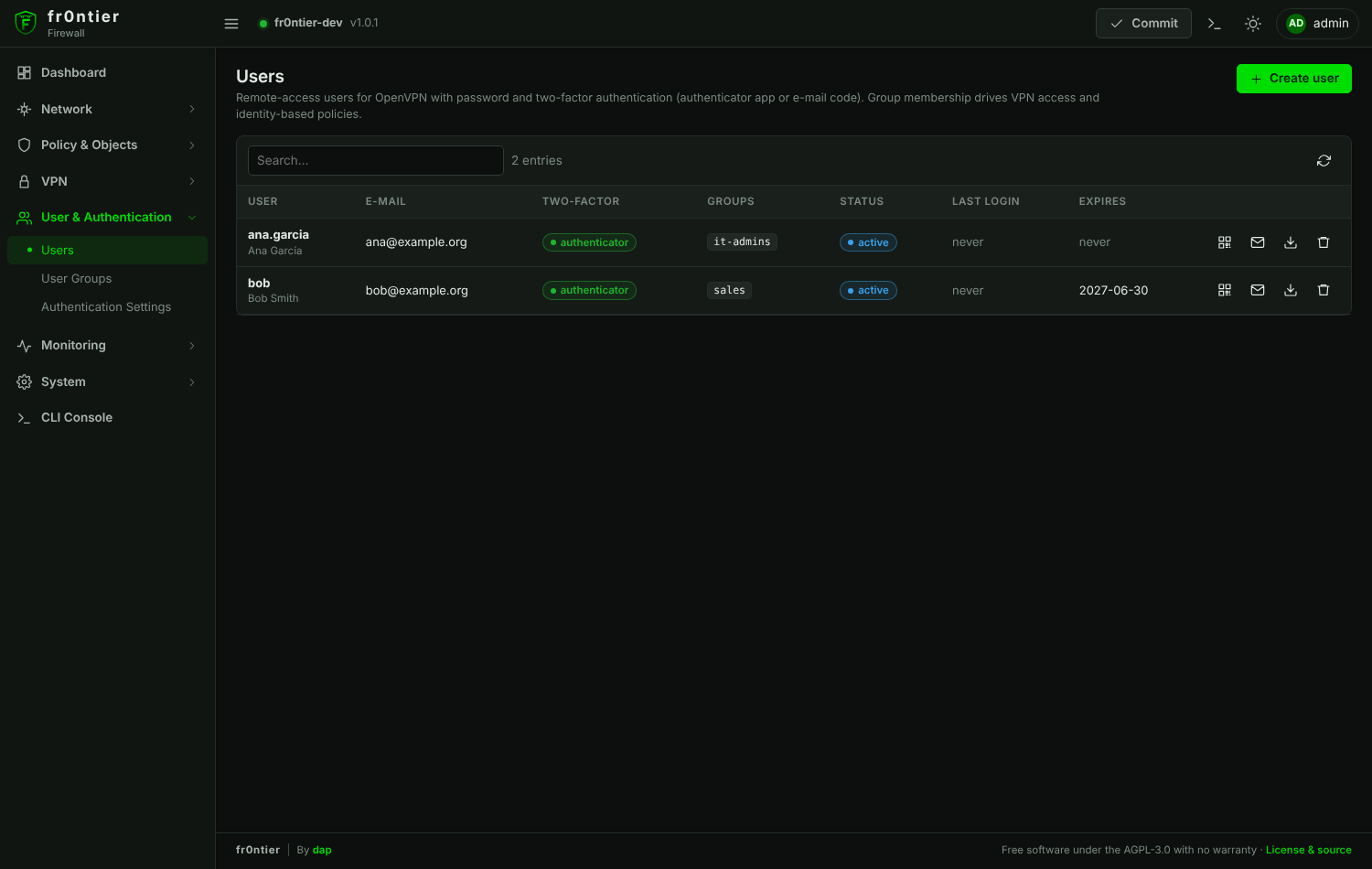
local users and groups with authenticator apps (TOTP) or e-mail codes, QR enrolment, access e-mails with the VPN profile, lockout, expiry and identity-based policies.
VPN
OpenVPN with personal certificate + password + 2FA and live session control, WireGuard road warriors with QR codes and site-to-site tunnels, and IPsec IKEv2 route-based VPNs.
Reverse proxy
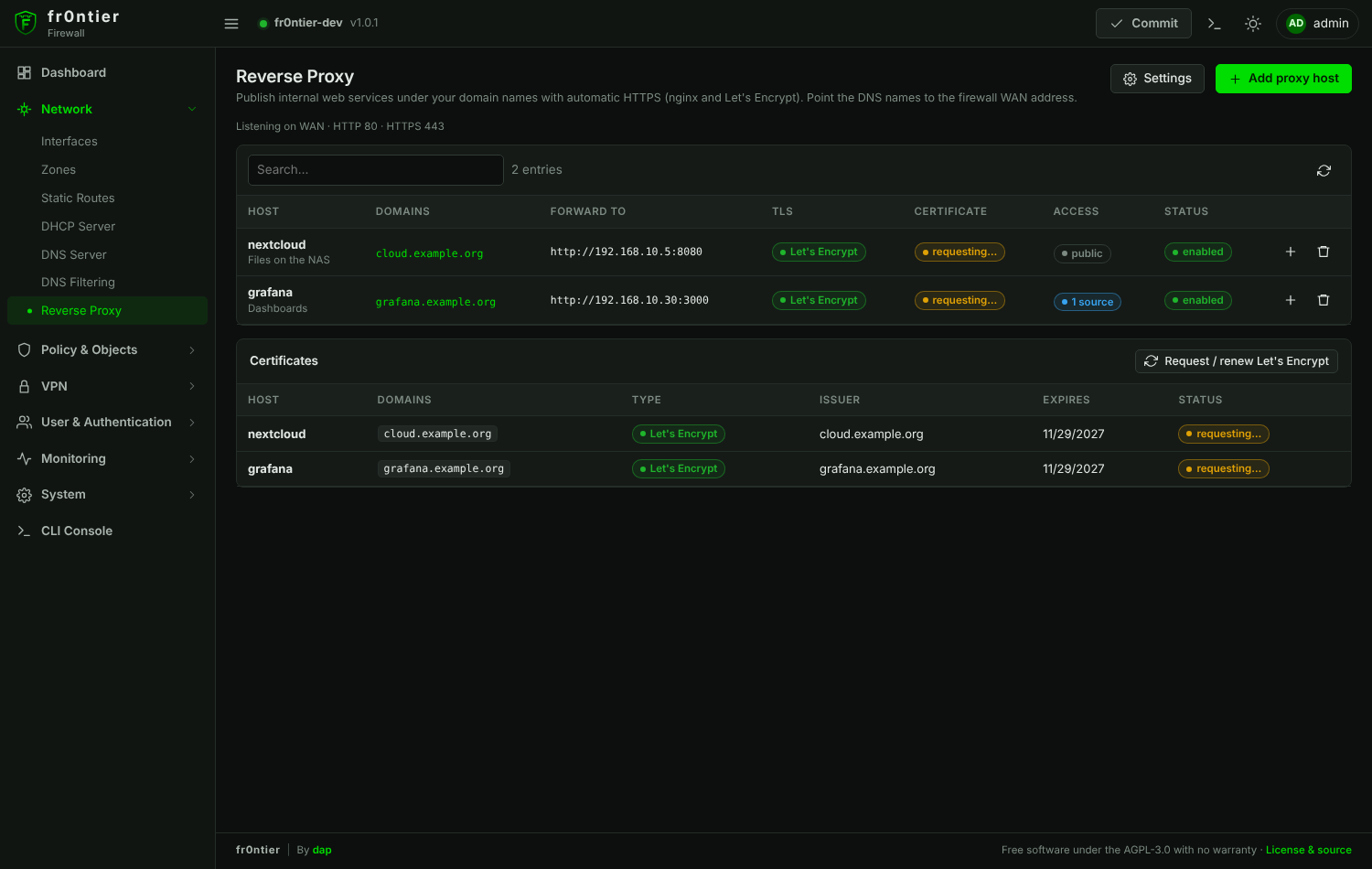
Publish internal apps by domain name with nginx and free Let's Encrypt certificates. Load balancing, WebSockets, HSTS, HTTP/2, source restrictions and basic auth, all from a simple UI.
DNS & DHCP
Built-in DNS server with cache, local zone, DoT/DoH upstreams, Pi-hole style blocklists, regex allow/deny lists, CNAME-cloaking detection and query analytics. dnsmasq DHCP with reservations.
Monitoring & alerts
Embedded time-series database with years of history, sessions, top talkers, firewall and flow logs, gateway health, thermal and throttling data, and alerts to webhook, Slack, Telegram or e-mail.
Export anywhere
Prometheus endpoint, InfluxDB, Graphite, syslog and CEF, Splunk HEC, Elasticsearch/OpenSearch, Grafana Loki and JSONL files for a NAS.
Web UI, CLI & API
Dark and light web interface, web terminal with a OS webui CLI (config, edit, set, show, diagnose, TAB completion), REST API with tokens, roles, admin 2FA, audit log and backups.
Networking
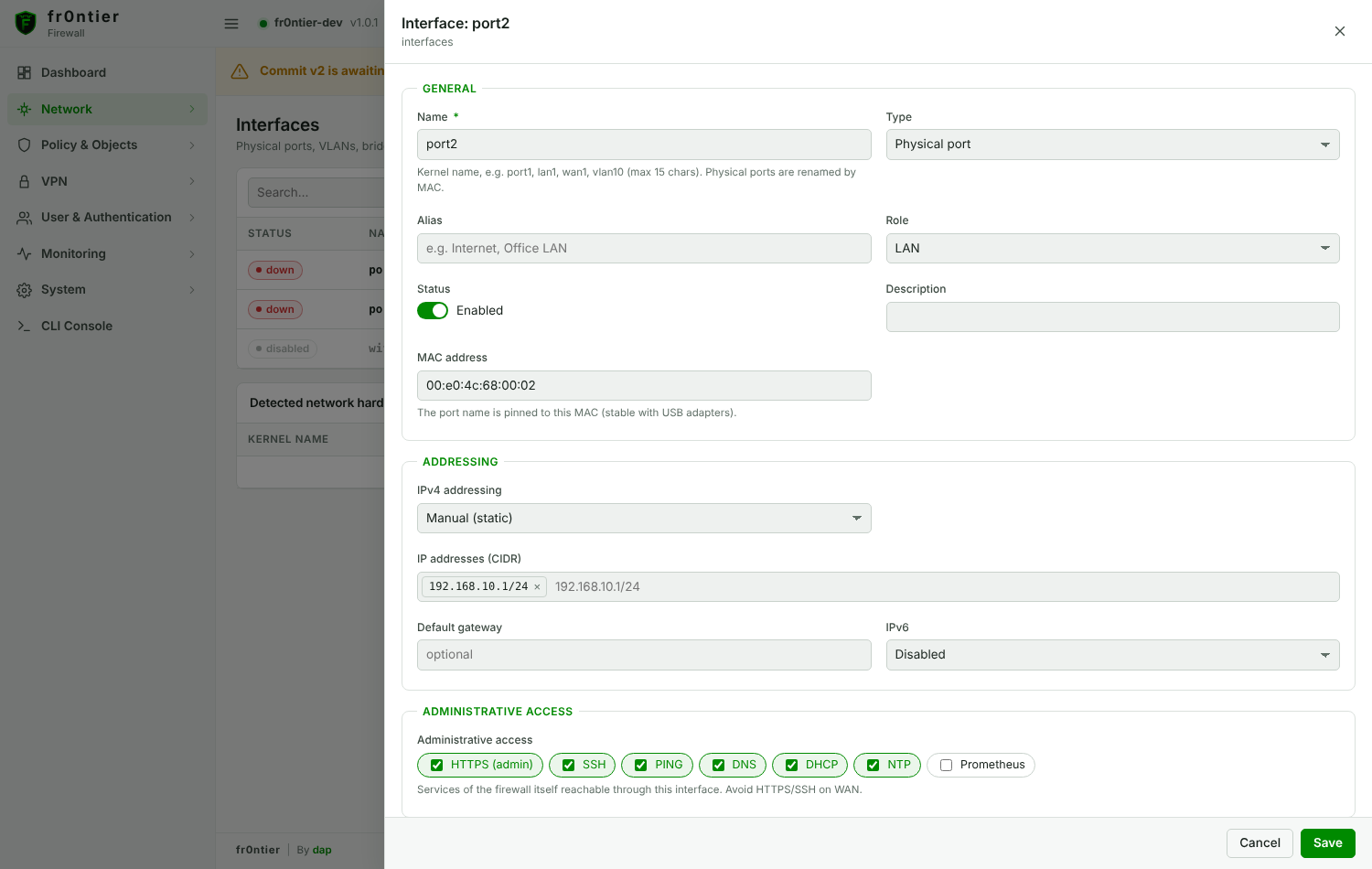
Stable port names, VLANs, bridges, Wi-Fi access point or client, static and DHCP addressing, IPv6, static routes, multi-WAN with gateway monitoring and failover, and CAKE traffic shaping.
Modular installer
One command detects your hardware and edition, installs the packages, names your ports, applies a preset and prints the admin credentials. Clean uninstaller included.
How it works
Every change follows the same safe path, whether it comes from the web UI, the CLI or the API.
Edit the candidate
Changes go to a candidate configuration. The running firewall is untouched.
Review
A structured diff, the system files that will change and the rule analysis, side by side.
Validate
nftables, nginx and the other services check the rendered configuration before anything is applied.
Commit & confirm
Applied atomically. With commit-confirmed, it rolls back by itself unless you confirm in time.
Screenshots
Editions
Two editions, one codebase. Same features, same configuration, same updates. The installer detects your hardware and downloads the right one.
fr0ntier ARM
arm64 · aarch64For Raspberry Pi and ARM hardware: silent, fanless and low-power.
- Raspberry Pi 4 or 5 (4–8 GB) recommended, Pi 3B/3B+ supported
- Any arm64 board or ARM server running Debian 13
- microSD supported; NVMe or USB SSD for long retention
- SoC temperature, under-voltage and throttling alerts
- SD-card wear reduction and hardware watchdog
fr0ntier x64
x86-64 · amd64For PCs, mini-PCs, appliances, servers and virtual machines.
- Mini-PC with 2+ Intel NICs (Intel N100 and similar) recommended
- Any 64-bit x86 machine, 2 cores and 1 GB RAM minimum
- Proxmox, VMware, Hyper-V, VirtualBox and KVM
- Virtualisation detected with setup guidance
- The easiest way to evaluate fr0ntier in a lab
Installation
Prepare a fresh Debian 13 system:
- ARM: flash Debian 13 arm64 (raspi.debian.net for Raspberry Pi).
- x64: install Debian 13 amd64 from the netinst image with only SSH server and standard system utilities. For a VM, add two virtual NICs.
Then, as root:
apt-get install -y gitgit clone https://github.com/davidalvarezp/fr0ntier.gitcd fr0ntiersudo ./install.shThe installer detects the edition, downloads the release and verifies its SHA-256 checksum, names your ports, applies a preset and prints the admin credentials. After the reboot, open:
https://<firewall-ip>:8443| Preset | Result |
|---|---|
mgmt (default) |
Keeps the current addressing, management access only. The safest start. |
router |
port1 = WAN (DHCP), port2 = LAN 192.168.10.1/24 with DHCP, DNS and NAT. |
wifi-lan |
Ethernet WAN and a Wi-Fi access point as LAN. |
wg-wan |
A single Ethernet port as LAN, with a WireGuard tunnel to a VPS as WAN. |
Upgrade with git pull && sudo ./install.sh --upgrade. The installation guide covers both editions, virtual machines and offline installs.
Who is it for
Homelabs
A real firewall for your network, with VPN, DNS filtering and dashboards, on hardware you already own.
Small offices
Remote access for the team with 2FA, published internal apps with HTTPS, and nothing to license.
Remote sites
A Raspberry Pi or mini-PC per site, site-to-site tunnels and commit-confirmed changes over the link you are editing.
Learning & labs
A familiar workflow on a VM, with every generated nftables rule visible before it is applied.
FAQ
Is fr0ntier a Linux distribution?
No. It installs on top of a standard Debian 13 system, which stays a normal Debian you can update with apt. Uninstalling restores the original services.
ARM or x64: which one do I download?
You don't have to choose: install.sh detects the architecture and downloads the matching release. For a manual download, uname -m prints aarch64 for the ARM edition or x86_64 for the x64 edition.
Do I need two network ports?
No. With a single port you can run the LAN on Ethernet and the WAN over a WireGuard tunnel to a VPS, or use Wi-Fi as the second interface. Two or more ports give you the classic router design, VLANs, a DMZ and multi-WAN.
What happens if a change cuts my access?
With commit-confirmed, the new configuration is applied with a timer. If you don't confirm it in time, fr0ntier rolls back to the previous version automatically.
Does it replace Pi-hole or AdGuard Home?
For most homes and small offices, yes. Blocklists, allow and deny lists with regex, per-client bypass, query log and statistics are built in.
Can I use it in my business?
Yes. fr0ntier is free software under the GNU AGPL v3 with an attribution term: keep the "fr0ntier | By dap" credit, and publish your changes if you offer a modified version to users over a network.
License
fr0ntier is free software released under the GNU Affero General Public License v3.0 with additional terms permitted by its section 7:
- Attribution. Every copy and modified version keeps the credit
fr0ntier | By dap, linked to davidalvarezp.com, in the web interface, CLI and console banners. - Modified versions must be marked as modified and must not present themselves as the official fr0ntier.
- Name and logo are not licensed beyond saying a work is “based on fr0ntier”.
Read the full LICENSE and NOTICE, or see the changelog for the version history.
Put a real firewall in front of your network.
Free, open source and ready to install on a Raspberry Pi, a mini-PC or a VM.
fr0ntier · By dap · mail@davidalvarezp.com